What Is Arduino? A Plain-English Guide for Complete Beginners
You have probably seen the word "Arduino" in maker communities, electronics forums, or DIY project guides — but if you have never worked with one, the descriptions can feel confusing. Is it a computer? A programming language? A kit you buy at a store? This guide answers all of those questions in plain English, with no assumed technical knowledge.
What Is Arduino, Exactly?
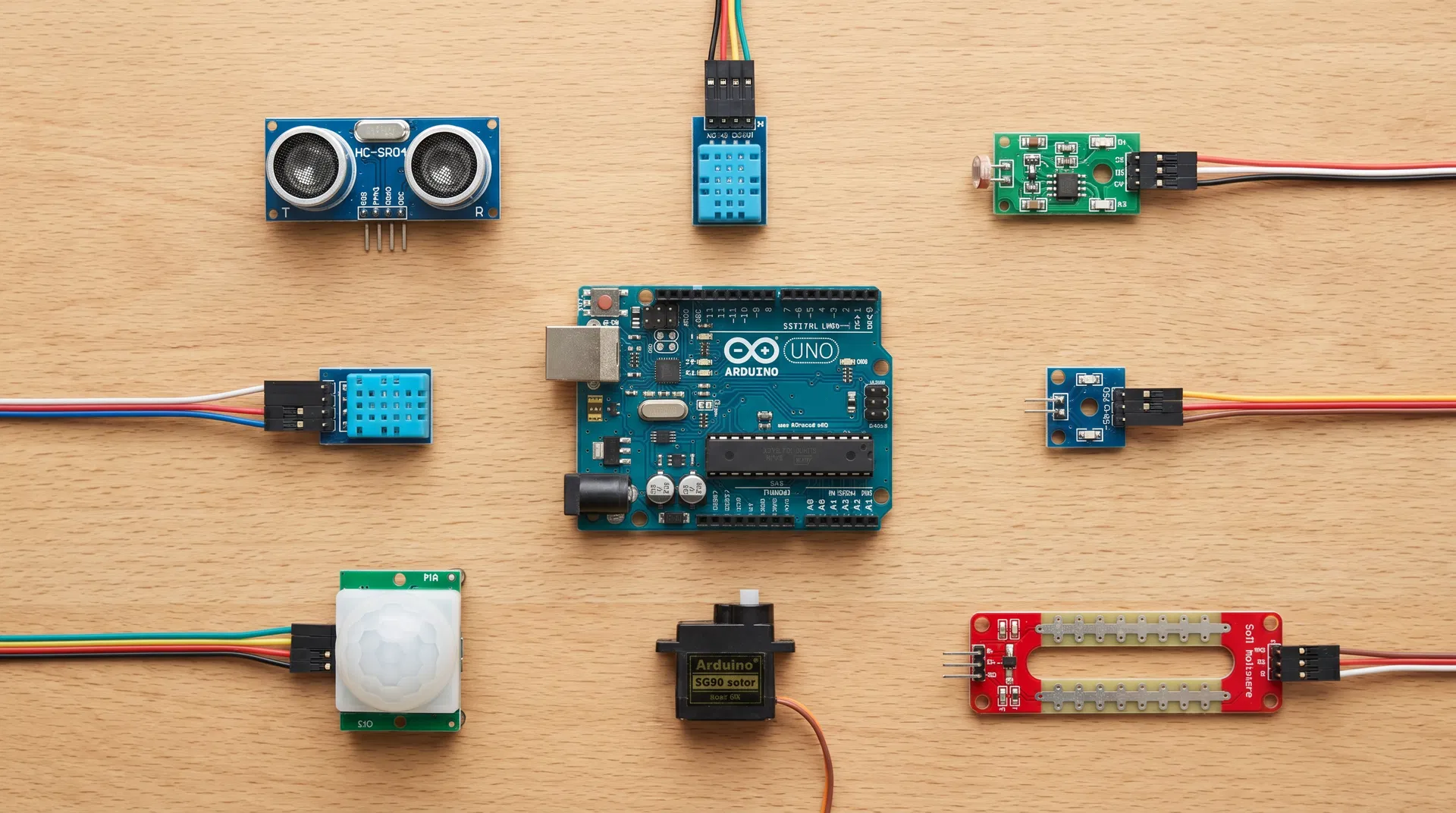
Arduino is an open-source electronics platform that combines two things: a small programmable circuit board (the hardware) and a simple programming environment (the software). Together, they let you build electronic projects that interact with the physical world — reading sensors, controlling lights and motors, responding to buttons, and connecting to other devices.
The board itself is about the size of a credit card. It has a microcontroller chip at its center — a small, simple computer — along with a set of pins you can connect to electronic components like LEDs, sensors, motors, and displays. You write a program on your computer using the free Arduino software, plug the board in via USB, upload the program, and the board runs it.
That is the complete picture at its simplest: a small board, a free program, a USB cable, and a world of things you can build.
What Can You Build With Arduino?
The range of things people build with Arduino is genuinely remarkable. At the beginner end: blinking lights, temperature displays, simple robots, and button-controlled gadgets. At the intermediate level: weather stations, plant watering systems, custom keyboards, and motion-activated cameras. At the advanced level: CNC machines, 3D printers, industrial automation systems, and professional-grade scientific instruments.
The common thread is physical interaction. Arduino excels at projects that connect software logic to the physical world — sensing something, responding to it, and controlling something else as a result.
Who Is Arduino For?
Arduino was originally designed for design students with no electronics background — the goal was to make hardware accessible to people who had never built a circuit before. That origin shows in how the platform is structured: the software is simplified, the documentation is extensive, and the community is enormous and welcoming.
Today, Arduino users include: complete beginners building their first electronic project, students learning programming and electronics in school, hobbyists and makers building things for fun, artists and designers creating interactive installations, engineers prototyping new product ideas, and professionals building custom tools and instruments.
The platform scales remarkably well. The same Arduino that a ten-year-old uses to blink their first LED is used by professional engineers to prototype industrial control systems.
What Hardware Do You Need to Get Started?
The standard starting point is the Arduino Uno — the most widely used board, the most thoroughly documented, and the one most courses and tutorials are built around. It costs approximately $25 new.
To do anything useful with it you also need: a breadboard (a reusable board for building circuits without soldering), jumper wires (short flexible wires for connecting components), and a handful of basic components like LEDs, resistors, and a push button. All of these are included in standard Arduino starter kits, which typically cost $25–$40 and include everything you need for a dozen beginner projects.
What Software Do You Need?
The Arduino IDE (Integrated Development Environment) is the free program you use to write code and upload it to the board. It is available for Windows, Mac, and Linux, and there is also a browser-based version that requires no installation. Download it from arduino.cc.
Arduino code is written in a simplified version of C++. If you have programmed before, the syntax will feel familiar. If you have never programmed before, the Arduino environment is one of the gentler introductions available — the programs are short, the structure is simple, and the results are immediately visible in the physical world.
How Long Does It Take to Learn?
Most complete beginners can build their first working project within an hour of opening a starter kit. Reaching a comfortable beginner level — where you can build most standard projects by following tutorials — typically takes two to four weeks of regular practice. Getting to the point where you can design and build original projects from scratch takes longer, but the path there is genuinely enjoyable.
The single most effective way to accelerate your learning is to work with an instructor, at least in the early stages. The ArduinoClasses directory lists Arduino courses and instructors across the United States — from single-day beginner workshops to private one-on-one instruction — searchable by location, format, and skill level.
Ready to Start?
Arduino is one of the most rewarding hobbies you can pick up — the combination of programming, electronics, and physical making produces a kind of satisfaction that purely digital projects rarely match. The barrier to entry is low, the community is enormous, and the ceiling is as high as your ambition.
Browse the ArduinoClasses directory to find a course or instructor near you, or pick up a starter kit and follow the official getting started guide at arduino.cc. Either way, your first project is closer than you think.
Ready to Start Learning Arduino?
Browse our directory of 244+ Arduino classes across the United States — from free community workshops to professional certifications.
Explore Classes →